What to Do If You Receive an ADA Website Demand Letter: A Step-by-Step Guide
Received a demand letter? Act within 30 days.
Most ADA demand letters give you a short window to respond before the plaintiff files in court. The ADA Demand Letter Response Kit documents your good-faith effort with a dated audit and certificate in minutes.
Scan your website free firstReceiving an ADA website demand letter can be alarming for any business owner or website manager. These letters claim that your website may not comply with the Americans with Disabilities Act (ADA), potentially exposing you to lawsuits and penalties. With over 5,000 digital accessibility lawsuits filed in 2025 alone, demand letters have become the first step in an increasingly common legal playbook. Understanding the full cost picture — from demand letter settlements to legal defense fees — helps you make informed decisions fast. Taking a calm, structured approach can help you address the issue efficiently while protecting your business.
This guide will walk you through the steps you should take if you receive an ADA demand letter, provide tips for immediate action, and help you prevent future accessibility problems.
What Is an ADA Website Demand Letter?
An ADA website demand letter is a formal communication, usually from a law firm, claiming that a website does not meet accessibility standards required under the Americans with Disabilities Act (ADA). These letters often:
- Identify alleged accessibility violations
- Request that the website be updated to comply with accessibility standards
- Sometimes demand financial compensation or legal fees
Receiving such a letter does not automatically mean you are in violation, but it should not be ignored. Prompt action demonstrates responsibility and can reduce legal risk.
Step 1: Carefully Review the Demand Letter
Before taking any action, read the letter thoroughly. Focus on:
- Sender information — Is it from a recognized law firm or organization?
- Specific claims — What accessibility issues are cited?
- Deadlines — When is a response expected?
- Requested actions or remedies — Are they asking for remediation only, or also compensation?
Document the letter and avoid responding impulsively. Missteps in early communication can affect your legal position.
Step 2: Consult an Experienced ADA Attorney
An ADA demand letter involves both legal and compliance considerations, so consulting an attorney is crucial. An experienced attorney can:
- Clarify your obligations under ADA law
- Help you respond professionally without admitting liability
- Advise on timelines and negotiation strategies
Even if your website is already partially compliant, legal guidance ensures your next steps are strategic rather than reactive.
Step 3: Conduct an Accessibility Audit
The next step is assessing your website for accessibility barriers. A thorough audit can identify issues like:
- Missing alt text on images
- Inaccessible forms or buttons
- Poor color contrast or small font sizes
- Keyboard navigation problems
Using tools like WCAG compliance scanners and manual testing ensures you uncover both obvious and subtle accessibility issues. A detailed report from the audit will guide remediation efforts and may serve as evidence of your proactive approach. Not sure what the violations mean or how to fix them? Our plain-English guide covers the most common WCAG violations and how to fix them without a developer.
The violations most likely to appear in your demand letter depend on your industry. We publish detailed guides for the most-targeted business types — including dental offices, restaurants, law firms, medical practices, and many more.
Run a free WCAG 2.1 scan right now
WCAGsafe uses axe-core — the same engine used by Google Chrome DevTools — to identify WCAG 2.1 AA violations on your site in under 60 seconds.
Scan your website freeStep 4: Develop a Remediation Plan
Once issues are identified, create a structured accessibility remediation plan. Courts and opposing counsel view documented, time-bound plans favorably — they demonstrate good faith even before remediation is fully complete.
What your remediation plan should include:
- Prioritize by severity — Address keyboard navigation failures, missing alt text, and unlabeled form fields first. These are the issues most commonly cited in demand letters and carry the highest user impact.
- Use a 30/60/90-day structure — Assign critical fixes to week one, moderate issues within 30 days, and low-severity items within 60–90 days. A phased timeline shows good-faith progress without overpromising.
- Target WCAG 2.1 Level AA — This is the standard courts consistently reference. Meeting it does not guarantee immunity but demonstrates reasonable compliance efforts.
- Document every change — Log the date, what was changed, and who made the fix. Keep before/after screenshots or audit reports. This documentation is your evidence of remediation effort.
- Test with assistive technology — After fixes are deployed, verify with screen readers (NVDA, JAWS, or VoiceOver) and keyboard-only navigation. Automated scanners alone miss 30–40% of real-world barriers.
A documented remediation plan reduces the cost and duration of settlement negotiations. Demand letters resolved before a lawsuit is filed are substantially less expensive than those that proceed to court — where legal fees alone can exceed the settlement amount. See our full breakdown of ADA compliance costs for context.
Step 5: Respond Appropriately
When responding to an ADA demand letter:
- Acknowledge receipt of the letter politely
- Outline steps you are taking to assess and improve accessibility
- Avoid admitting fault until your attorney advises it
A professional, timely response demonstrates that your business takes accessibility seriously.
Step 6: Prevent Future Issues
After addressing immediate concerns, implement measures to prevent future accessibility problems:
- Regular audits — Schedule automated and manual checks of your website
- Ongoing training — Educate your team on ADA compliance and inclusive design
- Stay updated — Monitor changes in ADA law and international accessibility regulations if your site serves global audiences
Proactive compliance reduces the risk of future demand letters and improves user experience for everyone. Start with our ADA compliance checklist for small businesses — it covers every major WCAG requirement you need to meet on an ongoing basis.
Conclusion
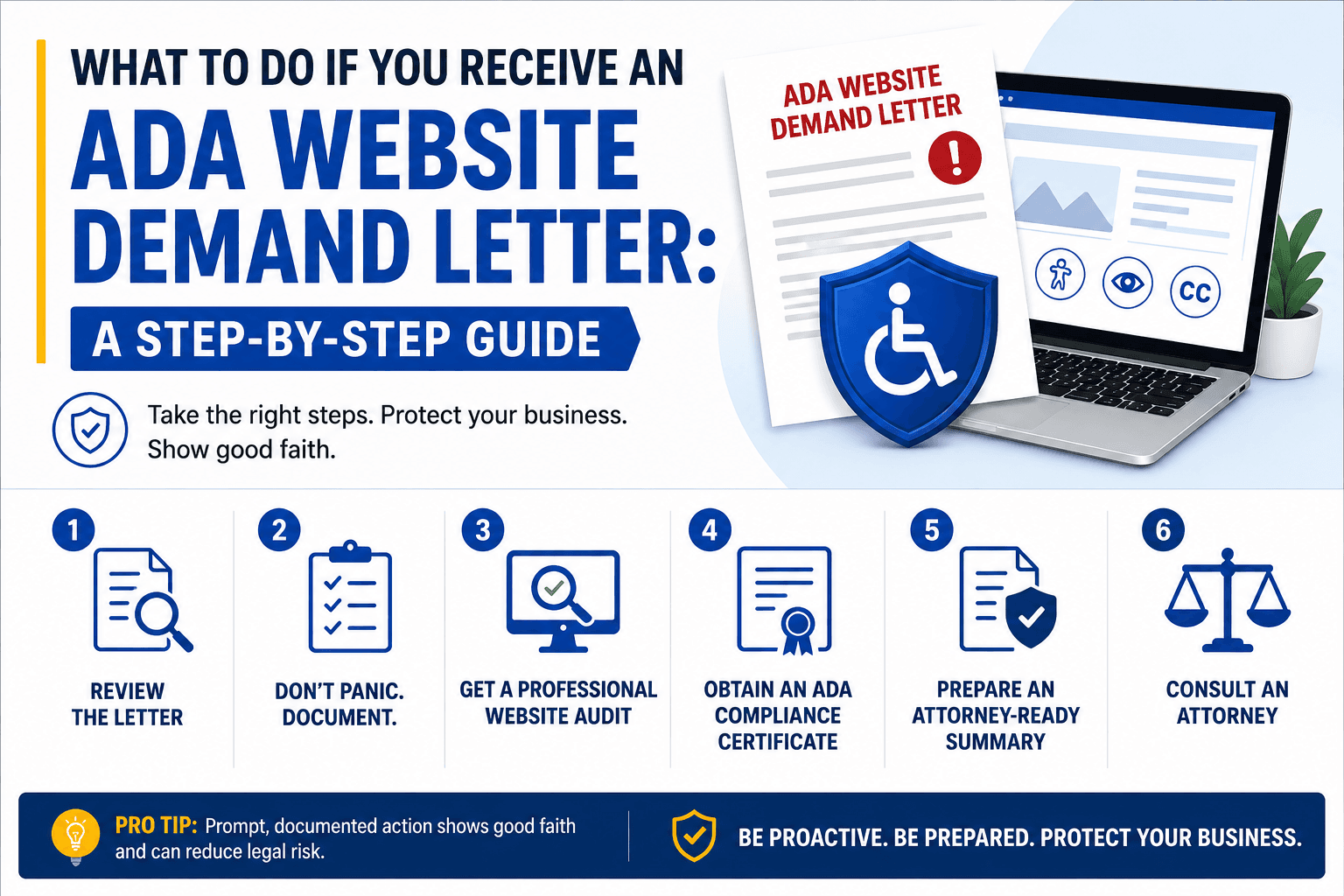
Receiving an ADA website demand letter can be stressful, but taking calm, informed, and systematic action is key. Review the letter carefully, consult an attorney, conduct an accessibility audit, develop a remediation plan, and respond responsibly.
Ensuring your website meets ADA and WCAG accessibility standards not only minimizes legal risk but also demonstrates a commitment to inclusivity. To understand the full financial picture — from audit costs to settlement averages — see our breakdown of ADA website compliance costs in 2026. For context on how common these letters are and who gets targeted most, our ADA lawsuit statistics report has the full data.
Quick action checklist
- Read the demand letter carefully — note deadlines and specific claims
- Consult an experienced ADA attorney before responding
- Run a full WCAG 2.1 AA accessibility audit immediately
- Develop a documented remediation plan with timelines
- Respond professionally — acknowledge receipt, outline your steps
- Set up automated monitoring to prevent future violations
Get a full website accessibility audit
Get a full accessibility audit, plain-English fix instructions for every violation, and ongoing automated monitoring — so the next demand letter never arrives. Need it handled fast? Our accessibility remediation services fix the violations for you.
Related guides
ADA Lawsuit Statistics 2025–2026
Data on who gets targeted, top states, and settlement ranges.
ADA Compliance Cost in 2026
Full breakdown of audit costs, remediation fees, and legal exposure.
How to Fix WCAG Violations
Plain-English fixes for the most common issues — no developer needed.
ADA Compliance Checklist for Small Businesses
Every major WCAG 2.1 AA requirement in a practical checklist.